Website quality monitoring
Scan Site for Broken Links and Typos in Four Steps
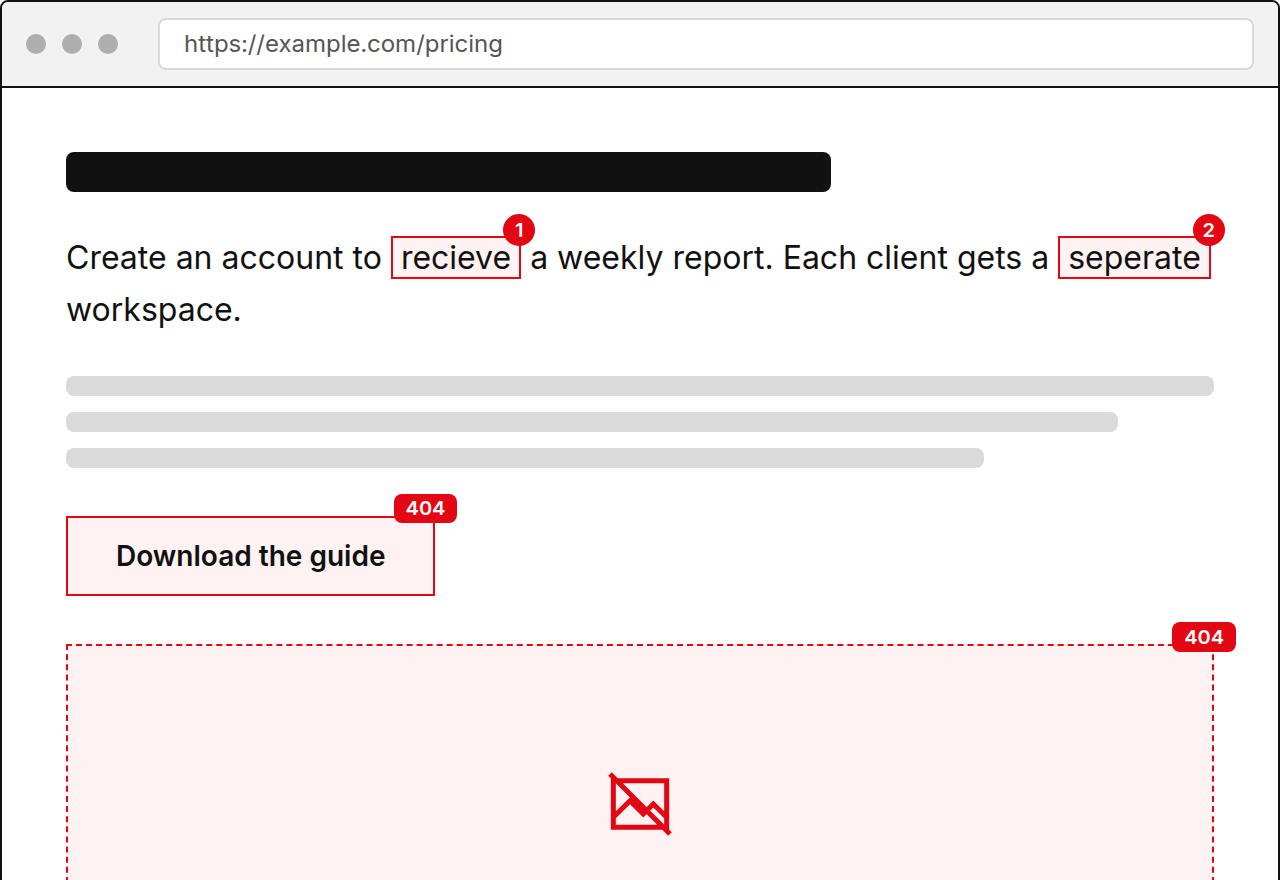
Add your site, let TypoMonitor crawl it, review the list of problems, and get an alert when something new appears. The demo above shows the result for one page.
Read-only scan. No card required.
-
Spelling
Create an account to recieve a weekly report of every page that changed.
Suggestion receive
-
Spelling
Each client gets a seperate workspace with its own schedule.
Suggestion separate
-
Link
404 https://example.com/pricing-2023
-
Spelling
Daily scans are availible on every paid plan.
Suggestion available
-
Image
404 https://example.com/img/team-photo.jpg
Showing the first 5 issues. Create an account to see the rest.
What It Means to Scan a Site
Scanning a site means visiting every page, reading the text, and testing every link and image on it. Doing this by hand is slow and rarely finished. A scan does it in one pass and gives you a single list.
The point is not the scan itself but what you can do with the result: fix the page, mark an item as known, and know that the next problem will reach you without a manual check.
How TypoMonitor Runs a Scan
You add your site with a sitemap or a start URL. TypoMonitor crawls the pages and checks spelling, links, and images. You choose how often it runs, weekly or daily, and you can start a scan whenever you publish.
- Step one, enter your URL or sitemap
- Step two, run the crawl
- Step three, review issues by page
- Step four, fix, ignore, and receive alerts
Who Should Set This Up
Anyone responsible for a site that changes. That might be a marketing lead, an agency account manager, or an owner who edits pages personally. Setup takes a few minutes and needs no code or installation.
Teams usually start with the free demo on a key page, then add the full site once they see the kind of issues it finds.
What You Receive After Each Scan
A list of issues, each with the page URL, the exact sentence or link in context, and a suggested fix. You mark items as fixed or ignored, and the custom dictionary keeps known words from returning. Email alerts report new issues, and the weekly digest summarizes the site.
Starter is 49 USD per month, Team is 149 USD, and Agency is 499 USD, with 50 percent off on annual billing. Start with the free one page demo, no card. Each scan builds on the last, so the list only grows when something new goes wrong.
Frequently asked questions
How long does a scan take?
It depends on how many pages your site has. A single page demo returns within moments.
Can I choose when scans run?
Yes. Starter runs weekly, Team and Agency add daily scans, and you can also start one on demand.
What do I need to start?
Only your site address or sitemap. No installation and no card for the demo.
What if a flagged word is correct?
Add it to the shared custom dictionary or mark it ignored, and it will not be flagged again.