Website quality monitoring
Dead Link Checker That Finds Every Dead End on Your Site
A dead link sends a visitor nowhere. TypoMonitor finds them across your whole site, shows the page they sit on, and alerts you the moment a new one appears.
Read-only scan. No card required.
-
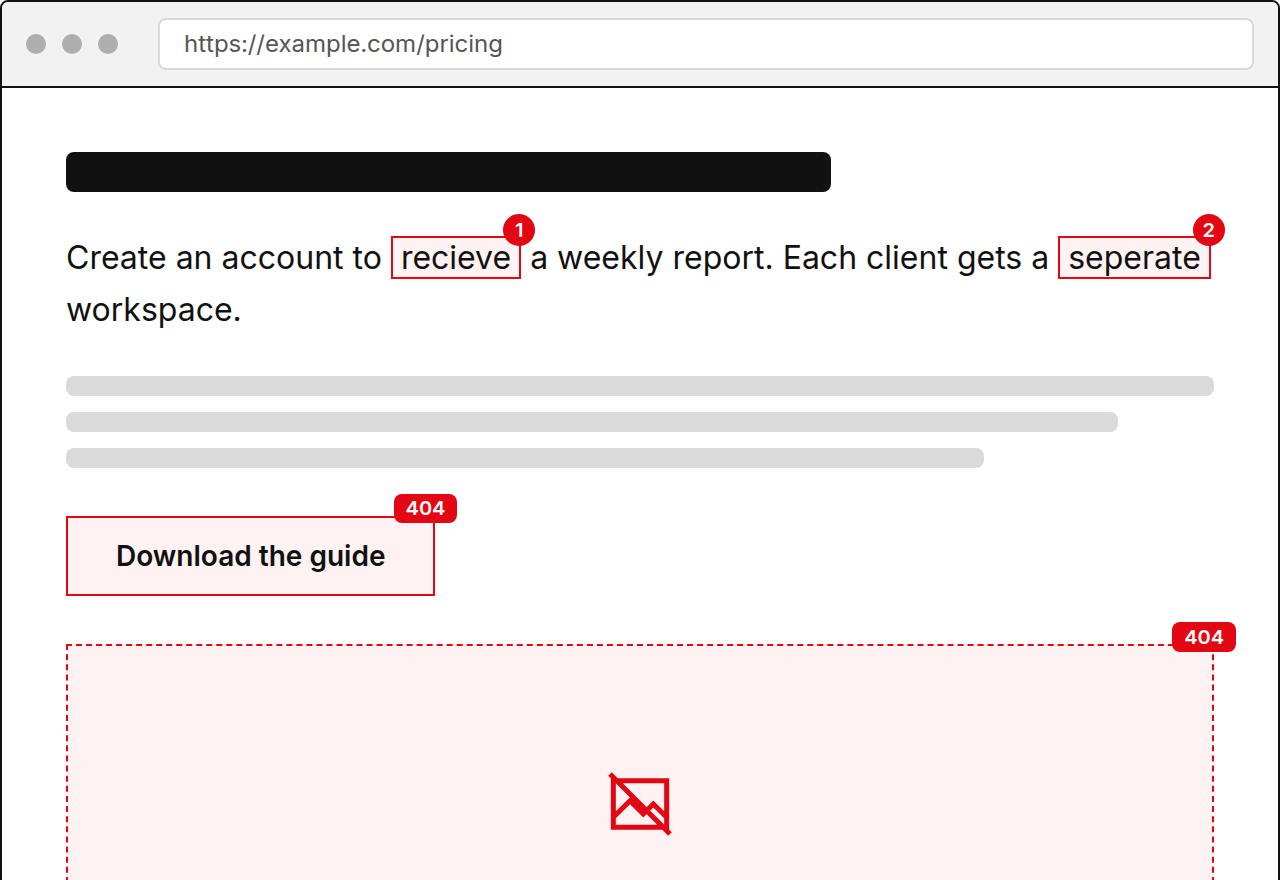
Spelling
Create an account to recieve a weekly report of every page that changed.
Suggestion receive
-
Spelling
Each client gets a seperate workspace with its own schedule.
Suggestion separate
-
Link
404 https://example.com/pricing-2023
-
Spelling
Daily scans are availible on every paid plan.
Suggestion available
-
Image
404 https://example.com/img/team-photo.jpg
Showing the first 5 issues. Create an account to see the rest.
What Counts as a Dead Link
A dead link points to a page or file that no longer answers. The usual cause is a removed page, a changed address, an expired domain, or a typo in the URL itself. The visitor sees an error instead of the content you promised.
Some dead links are less obvious. A link may time out, loop through several redirects, or land on a server error that comes and goes. A good checker separates these cases so you know which to fix first.
How TypoMonitor Finds Dead Links
TypoMonitor crawls from your sitemap or start URL and tests every link it meets, inside your site and out to other domains. It records the response and groups the results by type.
- Not found and gone responses
- Server errors and timeouts
- Redirect chains and loops
- Missing images on the same pages
Who Is Affected by Dead Links
Any site with a blog, a resource section, or a product catalog accumulates dead links as years pass. Agencies inherit them when they take over a client site. Businesses that link out to suppliers, directories, or press coverage see them whenever those outside pages move.
Dead links cost trust. A visitor who hits two of them starts to doubt the rest of the site, and a search engine that meets them often has less reason to rely on your pages.
What the Dead Link Report Contains
Every dead link appears with the page it sits on, the exact destination, and the response returned. Mark items as fixed or ignored and the list updates on the next scan. New problems trigger an email alert, and a weekly digest keeps the status in view.
Starter costs 49 USD per month for one site, Team costs 149 USD for ten, and Agency costs 499 USD for fifty. Annual billing is 50 percent off. The demo in the hero checks one page for free with no card.
Frequently asked questions
What is the difference between a dead link and a broken link?
They mean the same thing. Both describe a link whose destination no longer works.
Will it find dead links to other websites?
Yes. External links are tested the same way as internal ones.
Can I ignore a link that I know is fine?
Yes. Mark it as ignored and it stays out of future reports.
Do I get notified?
Yes. An email alert goes out when a new issue appears, and a weekly digest summarizes the site.