Website quality monitoring
404 Checker for Links That Lead to Missing Pages
TypoMonitor finds every link on your site that ends in a 404 and tells you which page holds it. Try the free demo on one page, no card needed.
Read-only scan. No card required.
-
Spelling
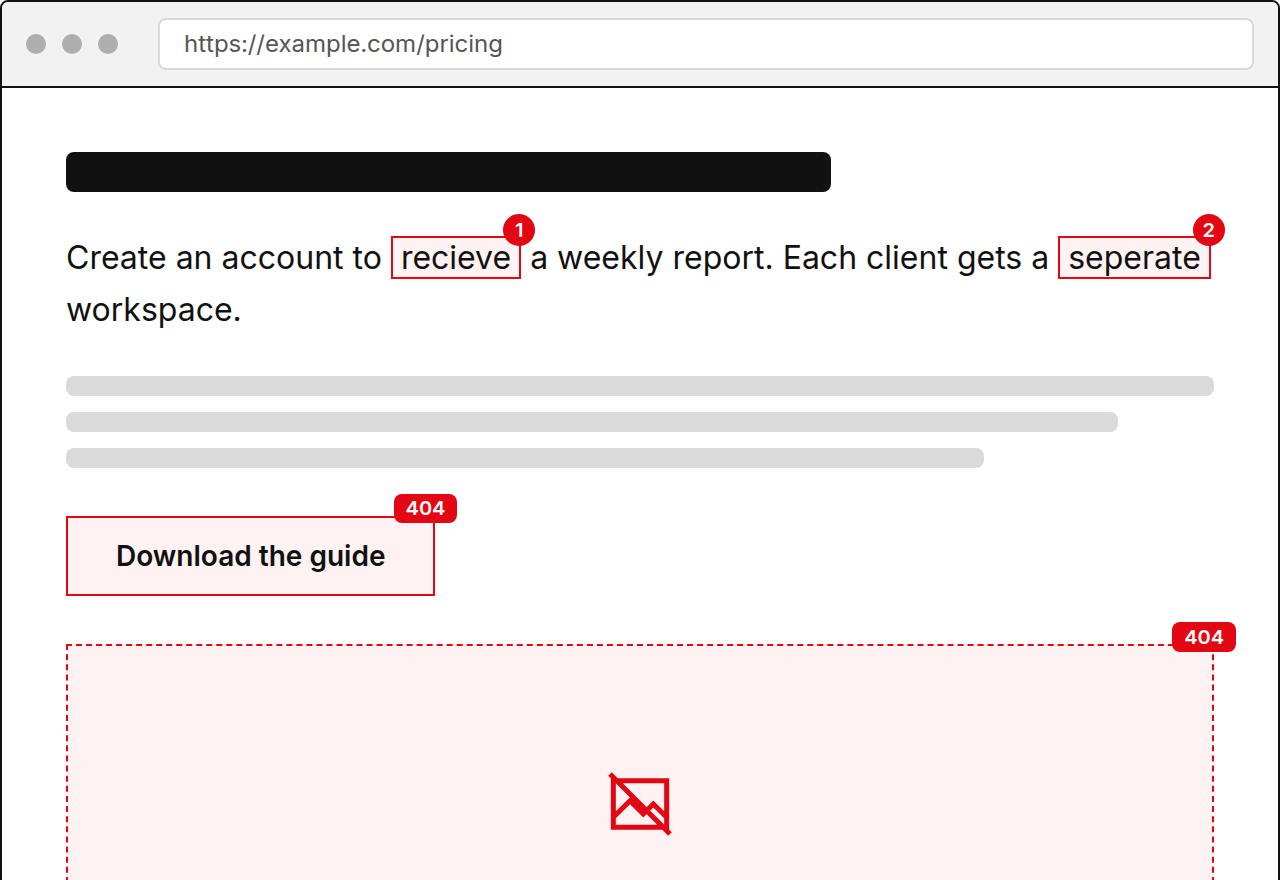
Create an account to recieve a weekly report of every page that changed.
Suggestion receive
-
Spelling
Each client gets a seperate workspace with its own schedule.
Suggestion separate
-
Link
404 https://example.com/pricing-2023
-
Spelling
Daily scans are availible on every paid plan.
Suggestion available
-
Image
404 https://example.com/img/team-photo.jpg
Showing the first 5 issues. Create an account to see the rest.
What a 404 Error Means
A 404 is the response a server gives when the requested page does not exist. The visitor sees a not found message instead of content. It happens when a page is deleted, moved without a redirect, or linked with a mistyped address.
A 404 on its own is normal. The problem is a link on your own pages that leads to one, because you are sending visitors there yourself.
How TypoMonitor Checks for 404s
TypoMonitor crawls your site from the sitemap or a start URL, tests each link it finds, and records the status code. Links that return 404 are grouped so you can handle them together. Related errors are reported too, so you see the full picture.
- 404 and 410 responses
- 5xx server errors
- Timeouts
- Redirect chains that end in an error
Who Runs Into 404 Problems
Sites that restructure their URLs, change platforms, or retire old products see 404s most. Content teams that delete outdated posts leave links behind in other articles. Agencies taking over a site often find dozens of them in the first scan.
If your navigation, footer, or popular posts link to a missing page, many visitors will see the error, so these are worth fixing first.
What the 404 Report Includes
For each 404 you get the page that contains the link, the link text, and the missing address. Fix it by updating the link or adding a redirect, then mark it fixed. Ignore rules keep intentional cases out of the list.
Alerts reach you by email when a new 404 appears, and the weekly digest shows the trend. Plans cost 49, 149, or 499 USD per month, with 50 percent off for annual billing. The free demo scans one page. Rescanning after a fix confirms the link now works, so nothing stays marked as open by mistake.
Frequently asked questions
Does the checker only find 404 codes?
No. It also reports 410, server errors, timeouts, and redirect chains.
Can it find which page links to the 404?
Yes. Every result shows the page that contains the link.
Should I redirect or remove the link?
Update the link if a replacement exists. Add a redirect if other sites may still point to the old address.
Can I check a single page for free?
Yes. The demo in the hero scans one page with no card.